Pick a product from the marketplace, ask to promote it, and get your personal link once you're approved.
First add your affiliate IDYou need your Systeme.io affiliate ID in your settings before you can promote. It's how your sales are tracked.
Find a product
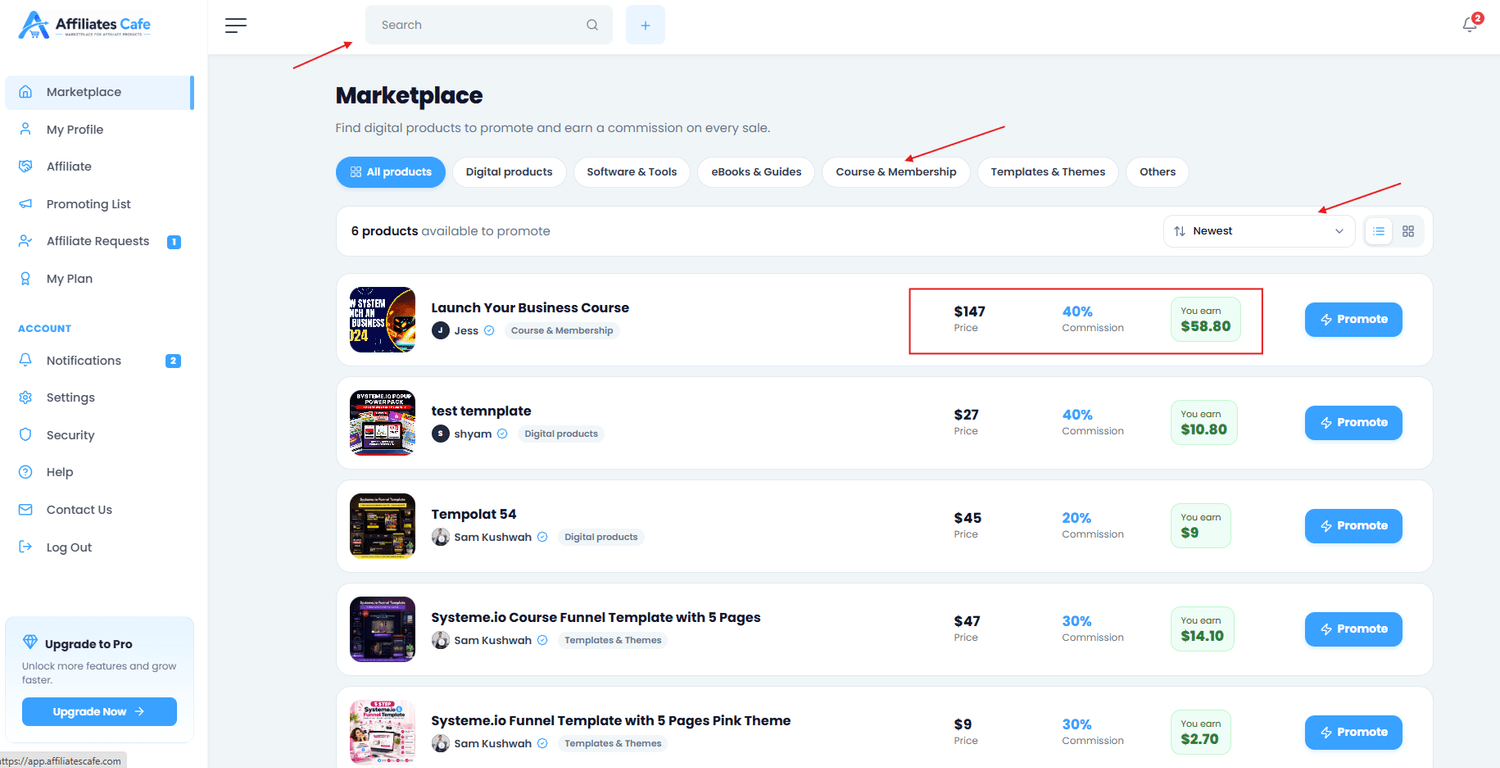
Open the Marketplace. Search by name, filter by category, and switch between list and card view. Each card shows the price, commission and what you earn per sale.
Screenshot: the marketplace with search and categories
Check the details
Open the product to see the description, the funnel steps, the creator and their Promo resources.
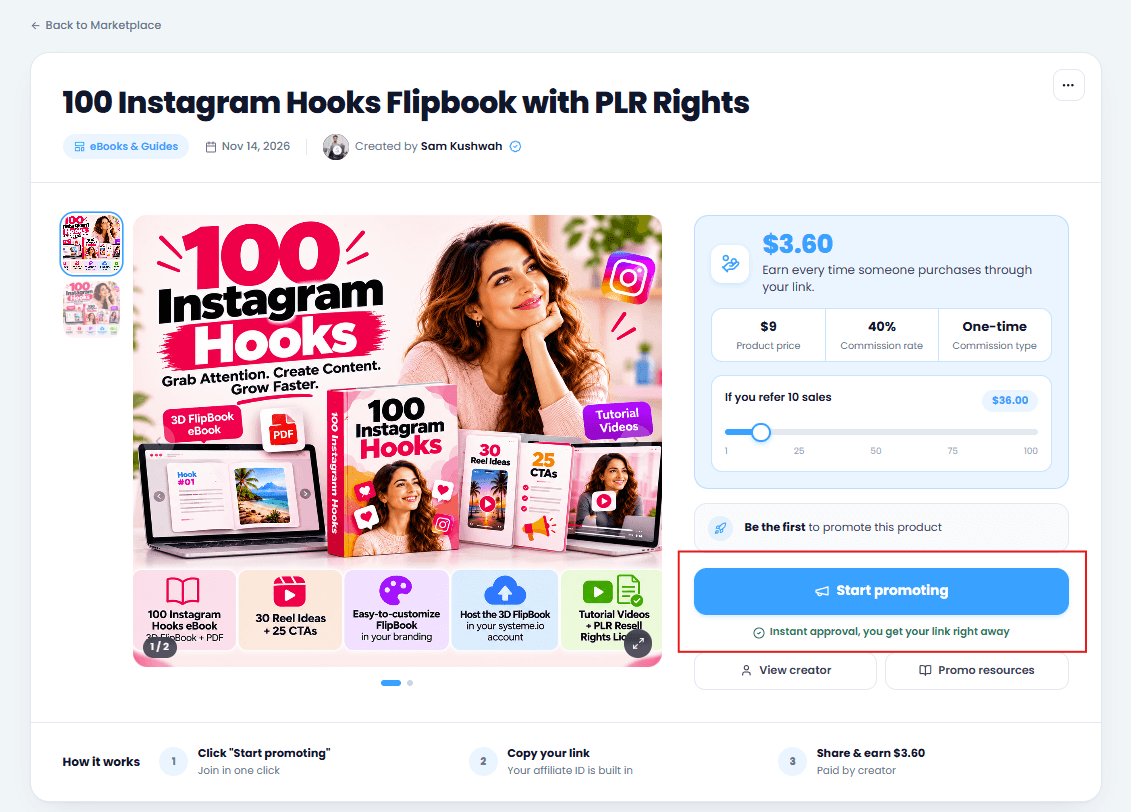
Click Start promoting
Click Start promoting. Some products approve you instantly; others send a request to the creator, which shows as pending until they approve.
Screenshot: the Start promoting button on a product page
1 minute read2 steps
Get and share your affiliate link
Once you're approved, every product has a personal link with your affiliate ID in it. Share it wherever your audience is.
Copy your link
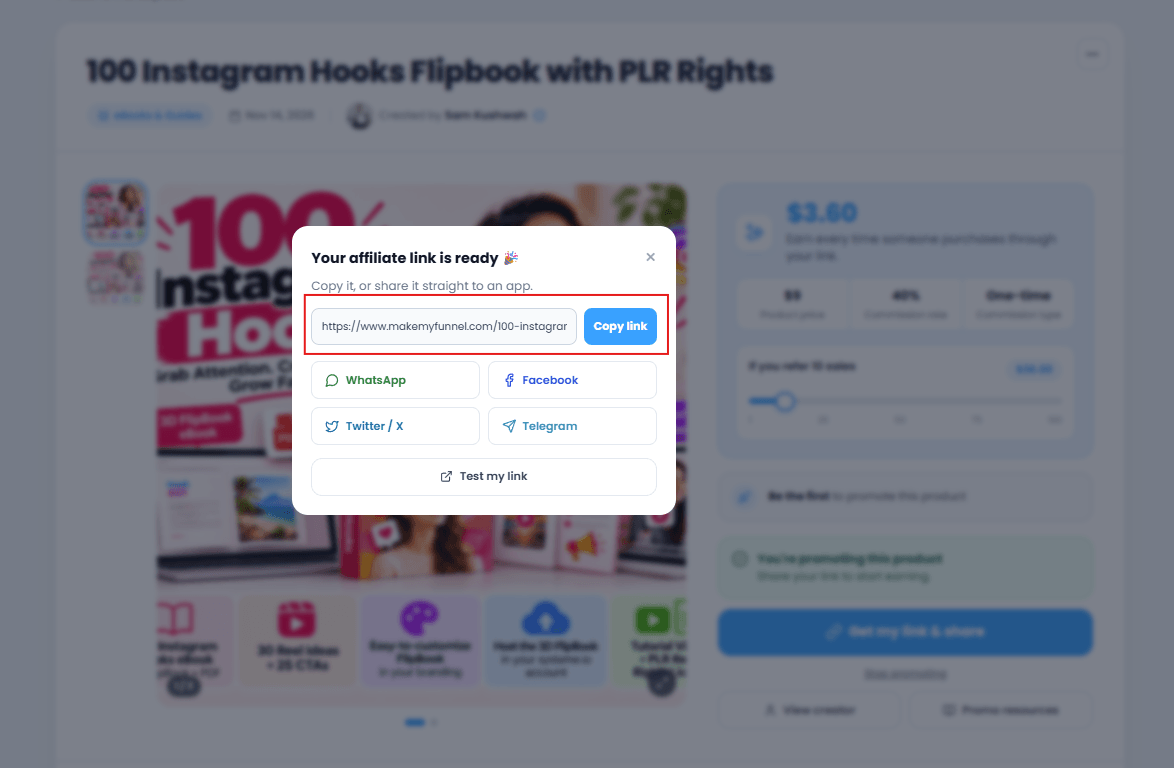
On the product page, click Get my link & share and copy it. You can also use ⋯ → Copy my affiliate link at the top right.
Screenshot: the Get my link and share popup
Share it
Post it on social media, in emails, on your blog or in videos. The product's Promo resources often have ready-made images and emails you can use.
Keep it honestDescribe the product truthfully and don't send spam. Creators can stop affiliates who mislead buyers.
2 minute read3 steps
How tracking works, and where to see your sales
Your affiliate ID is added to every link you promote. Systeme.io reads it and puts the sale and commission in your Affiliate Dashboard.
Your ID travels in the link
Every affiliate link is the product's page plus ?sa= and your ID, for example …/sales-page?sa=your ID&tk=affiliatescafe. You can see your exact format under the ID field in your settings.
Systeme.io remembers who sent the buyer
When someone comes through your link, Systeme.io tags them with your affiliate ID. When they buy, the sale and your commission are recorded, even if they buy some time later.
See your leads, sales and commissions
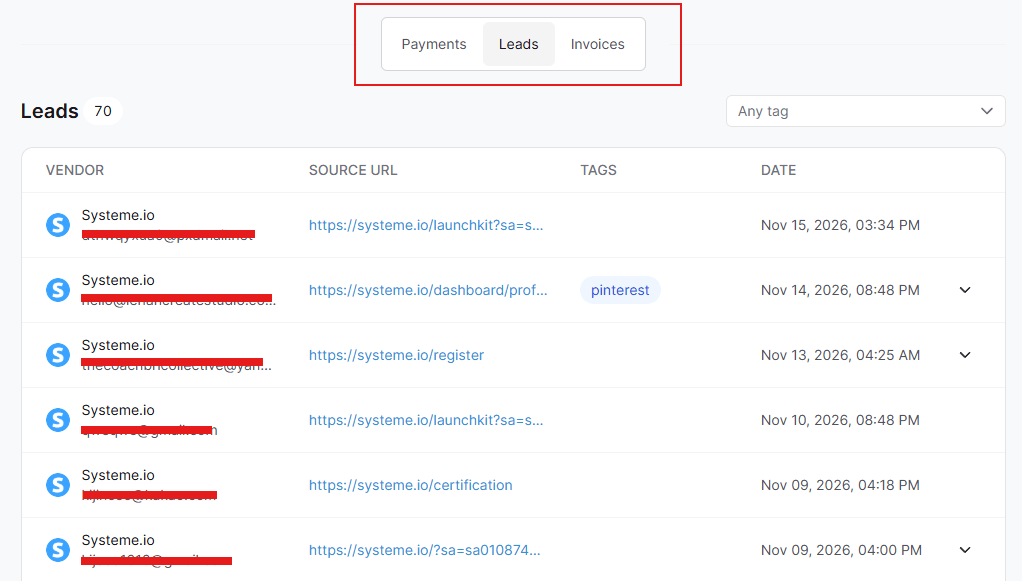
Open Dashboard → Affiliate Dashboard in Systeme.io. On Affiliates Cafe you can open it from Settings → Affiliate systems → Affiliate dashboard.
Screenshot: the Systeme.io Affiliate Dashboard
No sales showing?Check that the affiliate ID in your settings is complete and correct, and share the link exactly as you copied it. A missing character, or adding www. to a systeme.io address, can stop tracking.
Your own purchases don't countBuying through your own affiliate link is not allowed by Systeme.io, and those commissions are not paid.
1 minute read2 steps
Your Promoting List, and how to stop promoting
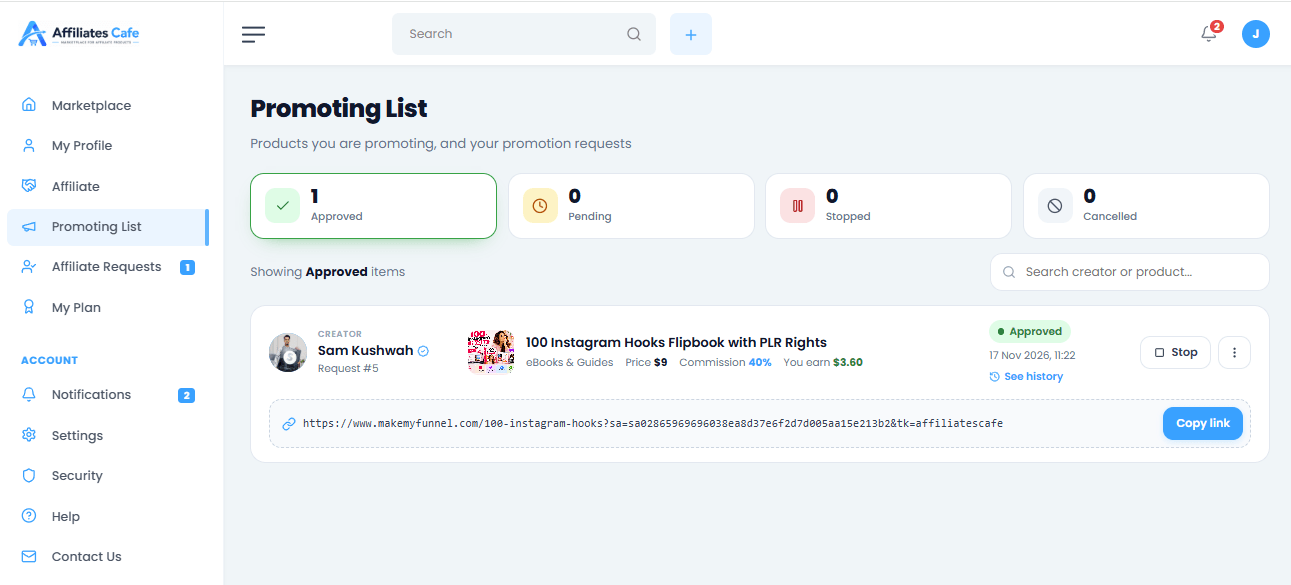
Your Promoting List shows every product you promote and every request you've sent, in one place.
Open your Promoting List
Go to Promoting List in the left menu. Tabs show Approved, Pending, Stopped and Cancelled products.
Screenshot: the Promoting List with its tabs
Stop promoting
Open the product and click Stop promoting (or use ⋯ → Stop promoting). You can start again later. A pending request can be cancelled from the list.
Good to knowStopping doesn't cancel commissions you already earned. Those are still paid by the creator.
Still stuck?
Send us a message and we'll reply by email, usually within 24 hours.