The bell at the top shows what's happening on your account. You choose which updates also come by email.
Check the bell
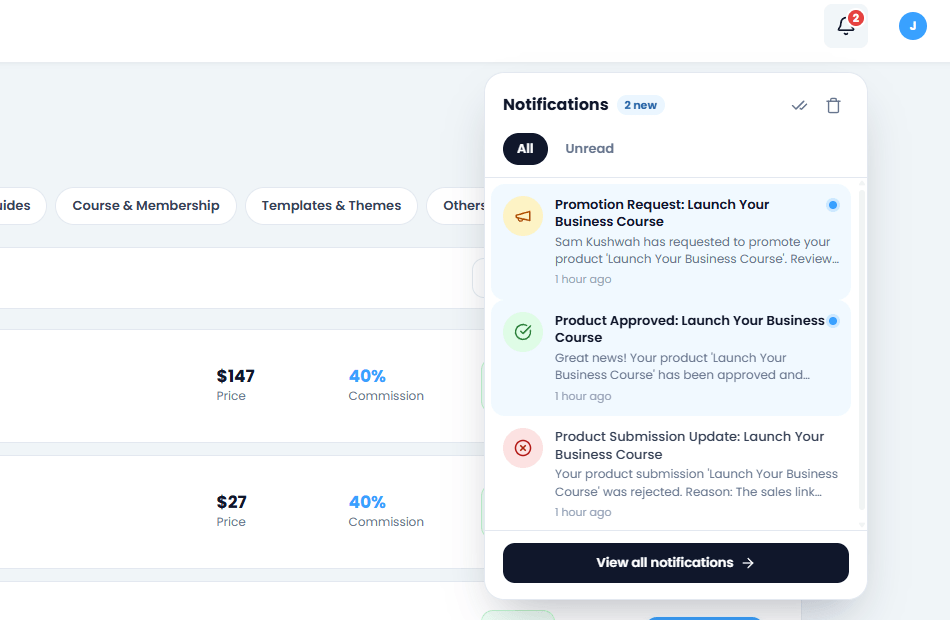
Click the bell to see new notifications: product reviews, affiliate requests, plan updates, messages from our team and more.
Screenshot: the notifications bell
Choose your emails
Go to Settings → Notifications and turn each kind of update on or off, for the bell and for email.
TipKeep emails on for affiliate requests and product reviews, so you never keep anyone waiting.
1 minute read2 steps
Change your email or password
Change your email address or password at any time, or reset a password you've forgotten.
Change your email or password
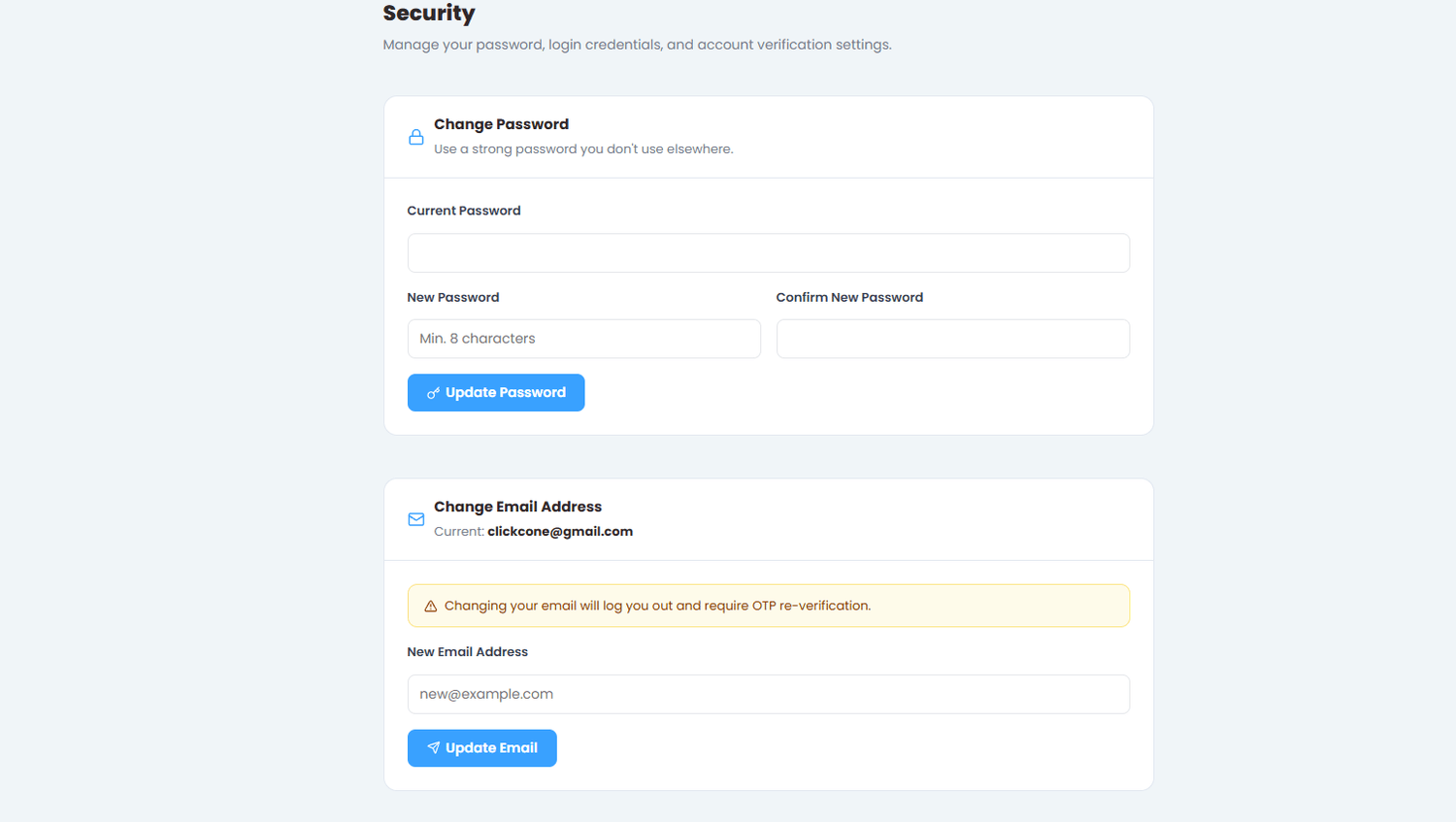
Go to Security in the left menu (or Settings), enter the new details and save.
Screenshot: the email and password settings
Forgot your password?
On the login page, click Forgot password and enter your email. We send you a link to set a new password. Check your spam folder if it doesn't arrive.
Stay safeWe never ask for your password by email or message.
1 minute read3 steps
Deactivated or blocked accounts
If you can't log in and see a message about your account, here's what it means.
"Please verify your email first"
You haven't entered the 6-digit code yet. Log in with your email and password and we'll send a new code.
"Your account has been deactivated"
The account is switched off for now, for example at your request or while we look into something. Contact us to switch it back on.
"Your account has been suspended"
The account was blocked, usually after a serious problem such as spam, scams or misleading products. If you think it's a mistake, contact us and explain.
Contact us without logging inThe Contact us page works without an account, so you can always reach us.
1 minute read3 steps
Report a listing or user
If a listing or a user looks wrong (a scam, copied content, a broken funnel or abuse), let us know. Reports are private.
Report a listing
On the product page, click ⋯ at the top right and choose Report this listing.
Screenshot: the ⋯ menu with Report this listing
Report a user
On their profile, click ⋯ next to Follow and choose Report this user.
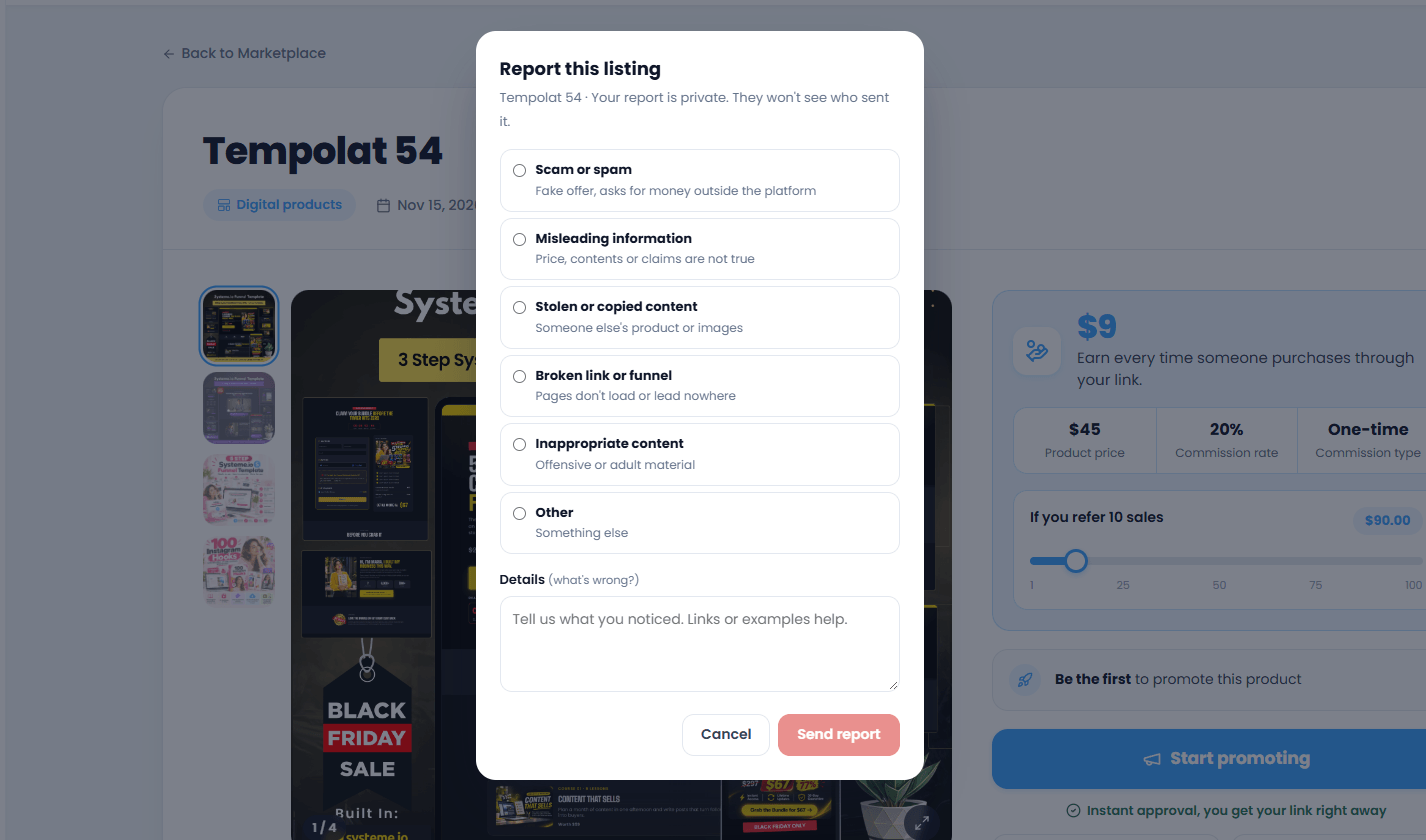
Choose a reason and explain
Pick the reason that fits best and describe what you noticed. Links or examples help us check faster. Then click Send report.
What happens nextThe person you report never sees who sent it. Our team reviews every report, and you get a notification if we take action. You can report the same listing or user once.
1 minute read2 steps
Contact us
Can't find the answer here? Send us a message and we'll reply by email, usually within 24 hours.
Open Contact us
Click Contact Us in the left menu. It works even if you're not logged in.
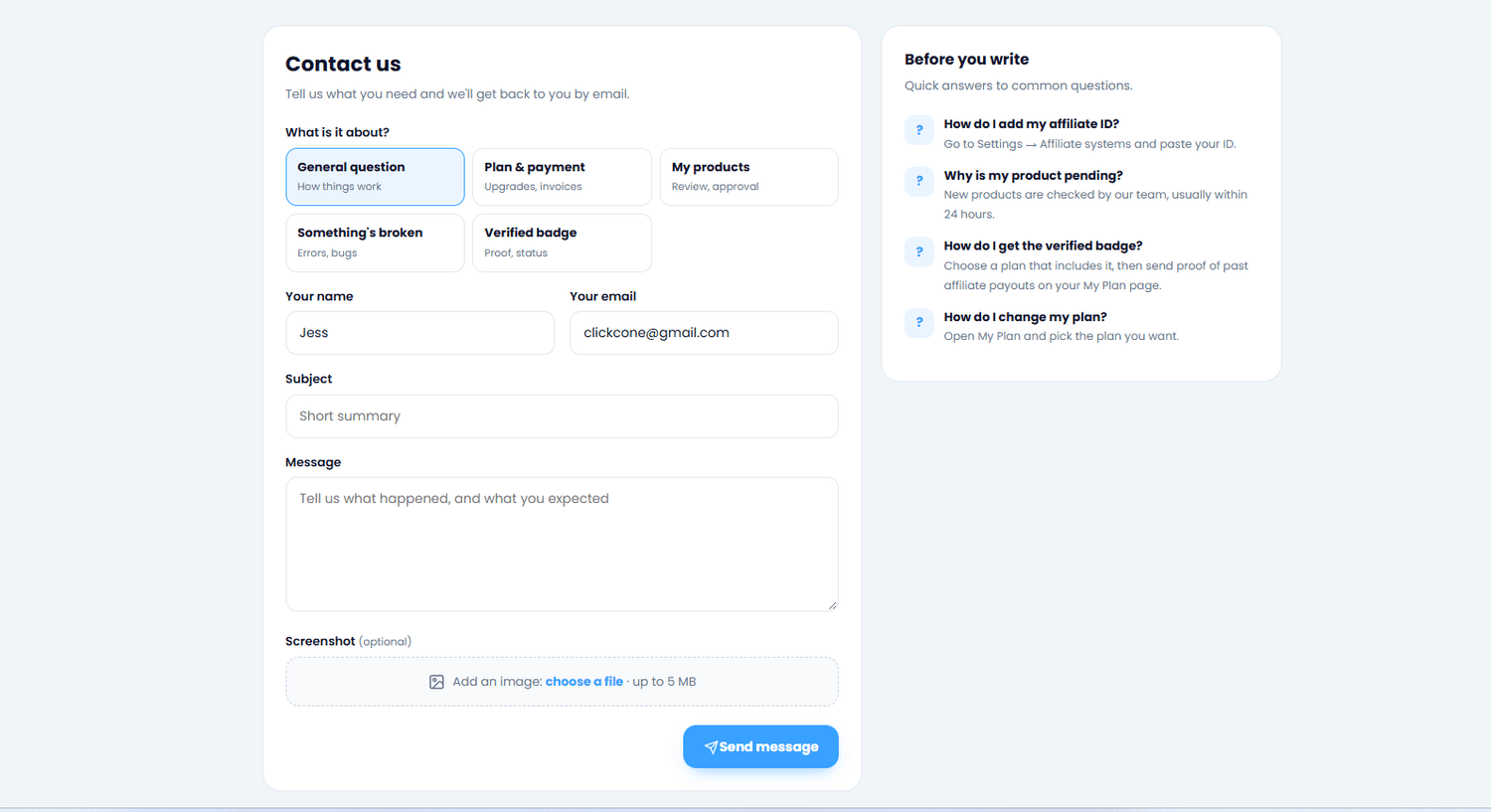
Screenshot: the Contact us page
Tell us what you need
Choose what it's about, write a short subject and your message, and add a screenshot if it helps. Then click Send message.
Get a faster answerInclude the product name or page, what you did, and what you expected to happen.
Still stuck?
Send us a message and we'll reply by email, usually within 24 hours.