Affiliates Cafe connects creators with affiliates, but we never handle the money. Every commission is paid by the creator directly to the affiliate, through Systeme.io.
Affiliates Cafe doesn't touch paymentsWe don't collect, hold, send or refund commissions, and we can't step into a payment between a creator and an affiliate. Payment questions always go to the creator first.
A sale is tracked in Systeme.io
When someone comes through an affiliate's link, Systeme.io tags them with the affiliate's ID. When they buy, Systeme.io records the sale and the commission in the creator's account. The affiliate sees it in their own Systeme.io Affiliate Dashboard.
The commission waits for the refund period
Most creators set a waiting period (often 30 days) before a commission can be paid, so a sale that gets refunded is never paid out.
Invoices are created on the 10th of each month
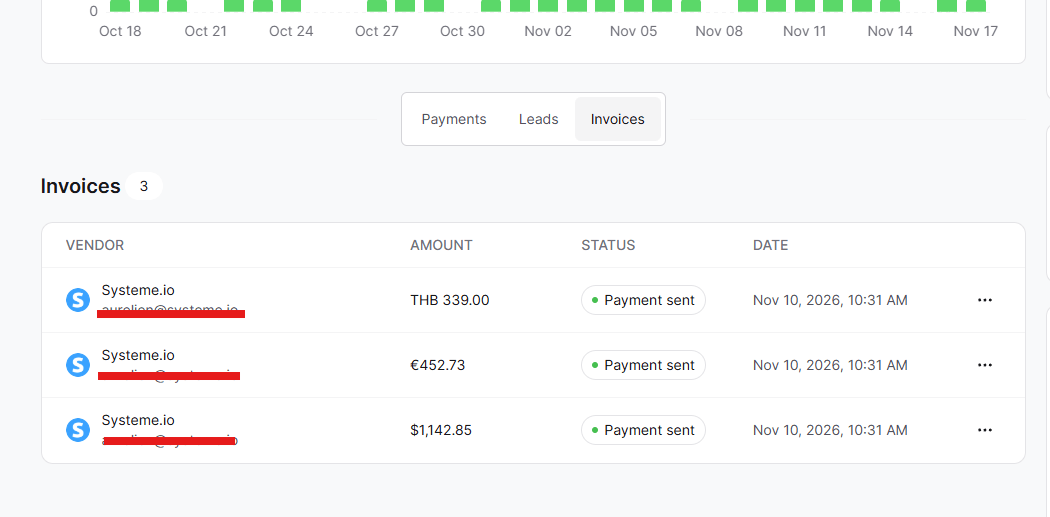
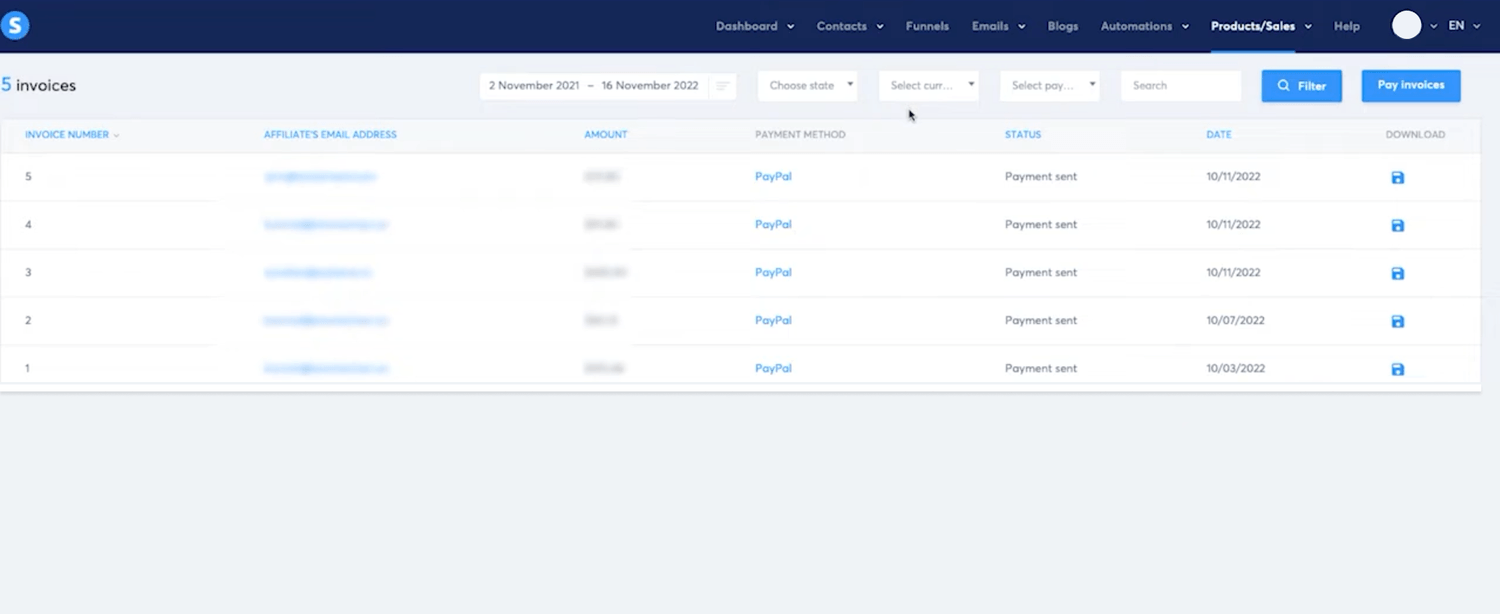
On the 10th of each month, Systeme.io automatically creates an invoice for each affiliate with the commissions that are ready to pay. The creator then pays them, automatically with PayPal or by hand.
Screenshot: affiliate invoices in Systeme.io, created on the 10th
Both sides see it as paid
Once the creator pays, the invoice shows as paid in Systeme.io, for both the creator and the affiliate.
4 minute read5 steps
Pay your affiliates with Systeme.io affiliate invoices
As a creator, you pay your affiliates yourself, through Systeme.io. Systeme.io creates the invoices for you every month; you pay them automatically with PayPal or by hand.
Open your affiliate Invoice settings
In Systeme.io dashbord Sales → Affiliate Invoice. This is where your affiliate invoices and payout options live.
Shortcut: on Affiliates Cafe, Settings → Affiliate systems has an Affiliate Invoice link in the Systeme.io card.
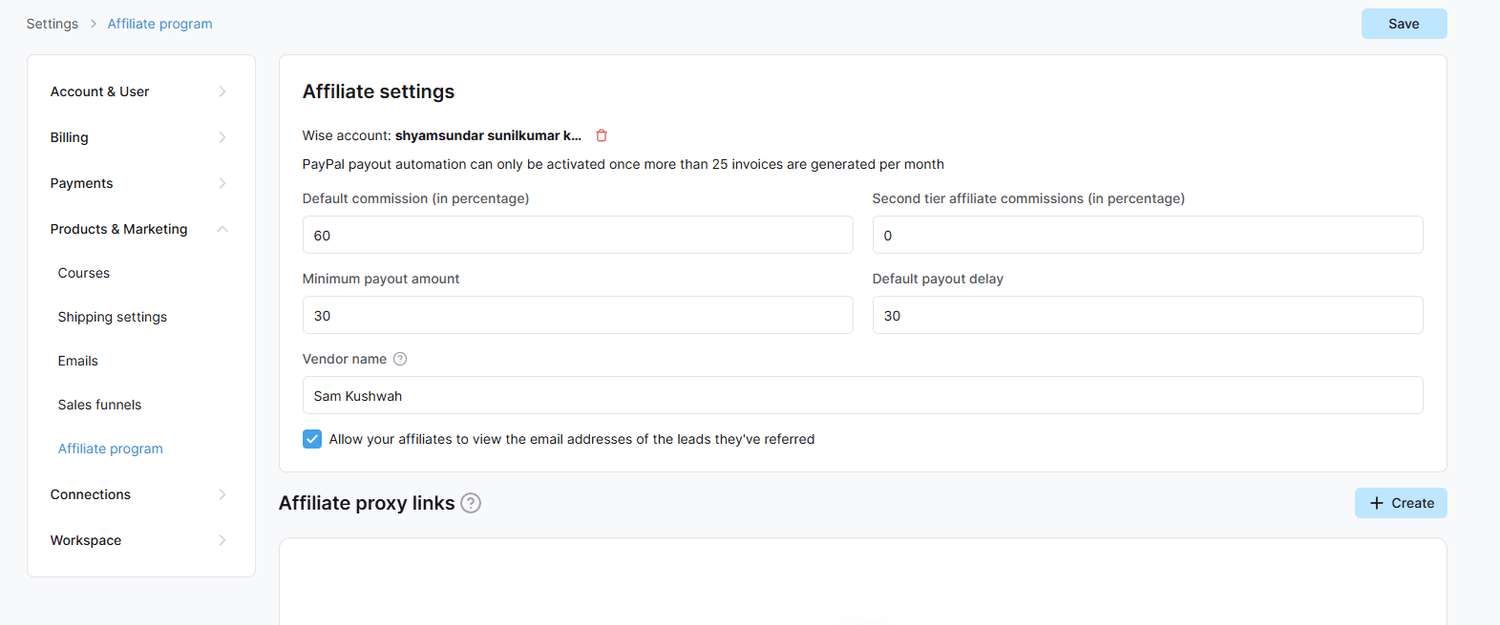
Screenshot: Settings → Affiliate program in Systeme.io
Invoices are created on the 10th of each month
On the 10th of each month, Systeme.io automatically creates an invoice for each affiliate with the commissions that are ready. New invoices start with the status Pending.
Option A: pay automatically with PayPal
Connect PayPal once, then pay all invoices in one go every month:
In Settings → Affiliate program, click Connect your PayPal account (top right).
Go to developer.paypal.com, choose Live, click Create App, and copy the Client ID and Secret.
Paste them into the Add PayPal credentials popup in Systeme.io.
Ask PayPal support to turn on Payouts for your PayPal account.
Every month, on the evening of the 10th, invoices change from Pending to Processing. Click Pay invoices to send them all through PayPal.
Screenshot: Connect your PayPal account and the Pay invoices button
Needs 25 invoices or morePayPal batch payouts only work when at least 25 affiliate invoices are ready, with PayPal as their payout method. With fewer, pay by hand (Option B).
Option B: pay by hand
Open each invoice, check the affiliate's payout details (PayPal or bank transfer), and send the amount from your own account. Then mark the invoice as paid, so the affiliate sees it.
Double-check before you sendMake sure the amount and the payout details match the invoice. A payment sent to the wrong address usually cannot be taken back.
An invoice stays on Pending?
If an invoice is still Pending after the 10th, it couldn't be sent to PayPal. The usual reasons are wrong or missing payout details from the affiliate, a currency mismatch, or a PayPal account that isn't fully set up.
Keep your proofSave a screenshot of your paid invoices. It's exactly the proof you need to get the Verified badge, which shows affiliates that you pay.
2 minute read4 steps
Getting paid as an affiliate
Your commissions are paid by the creator of each product, through Systeme.io. Set up your payout details once, then track every commission in your Systeme.io Affiliate Dashboard.
Add your payout details in Systeme.io
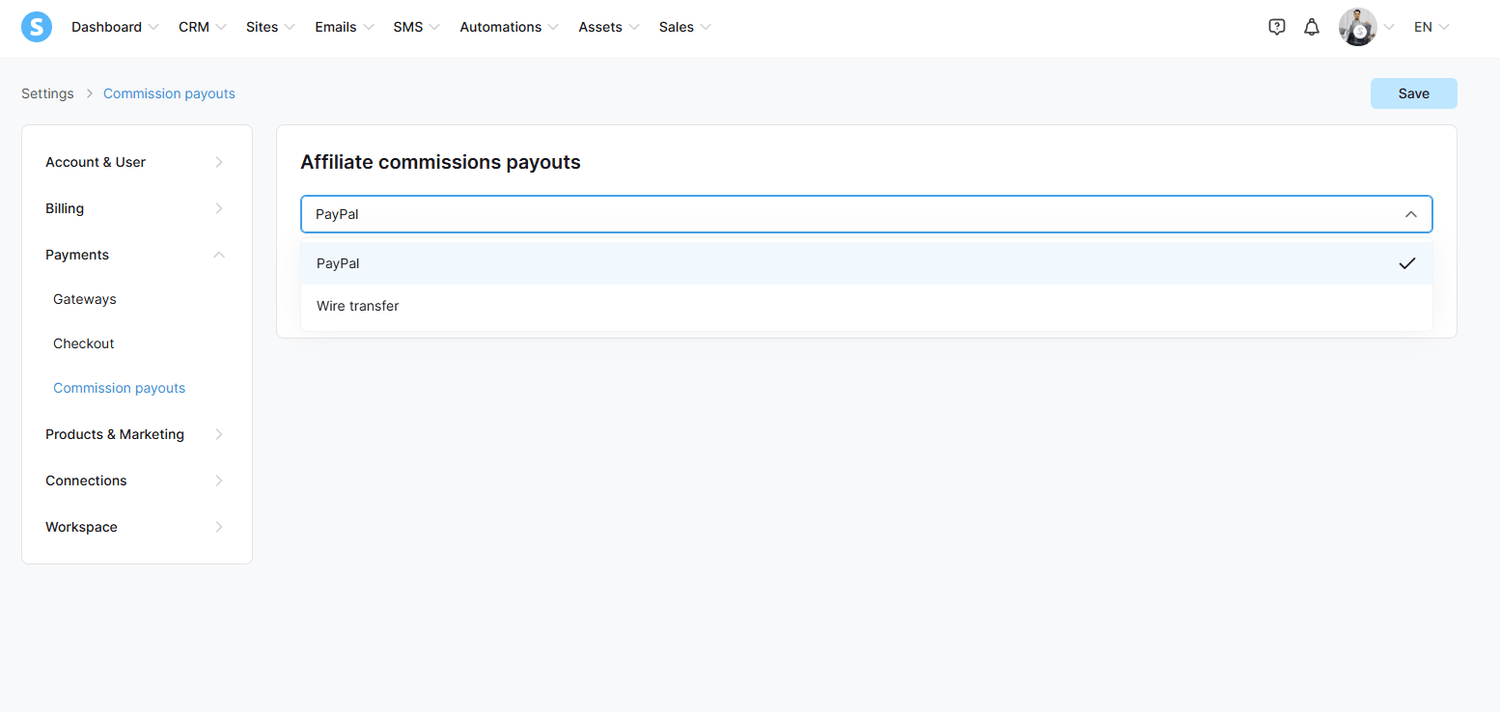
In Systeme.io, click your profile picture, then Settings → Affiliate Commissions Payouts. Choose PayPal or bank transfer and fill in your details.
Also complete your Systeme.io profile information, so your invoices can be created correctly.
Screenshot: Settings → Affiliate Commissions Payouts in Systeme.io
Track your commissions
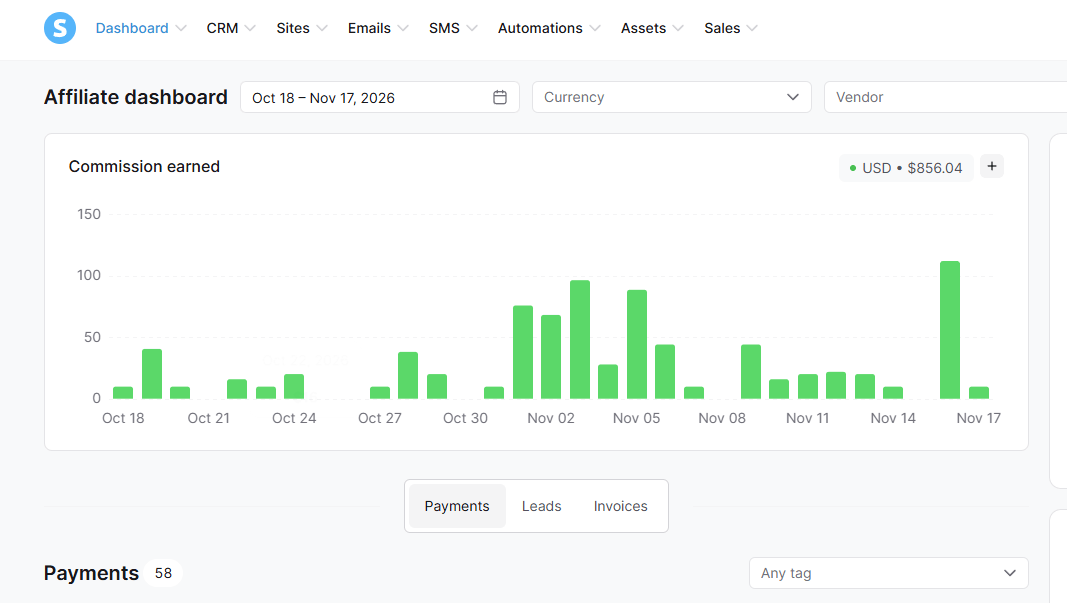
Open Dashboard → Affiliate Dashboard in Systeme.io to see your clicks, sales and commissions. On Affiliates Cafe you can also open it from Settings → Affiliate systems → Affiliate dashboard.
Screenshot: commissions in the Systeme.io Affiliate Dashboard
Invoices come on the 10th of each month
Once a commission has passed the creator's waiting period, it goes on an invoice that Systeme.io creates on the 10th of the month. When the creator pays, the invoice shows as paid.
Invoice stuck on Pending?This usually means your payout details are missing or wrong, or there is a currency mismatch. Check Affiliate Commissions Payouts first.
Payment late? Talk to the creator first
Contact the creator through their profile and ask about the payment. Most delays are a simple mix-up, such as missing payout details.
If a creator never pays, let us know with ⋯ → Report this listing on the product page, choosing Scam or spam.
Stay safeAffiliates Cafe will never ask for your payment details or a fee to release a commission. Never send money to get paid.
Still stuck?
Send us a message and we'll reply by email, usually within 24 hours.