Affiliates Cafe is a marketplace where creators list their Systeme.io products and affiliates promote them for a commission. You can do both with one account.
Creators list their products
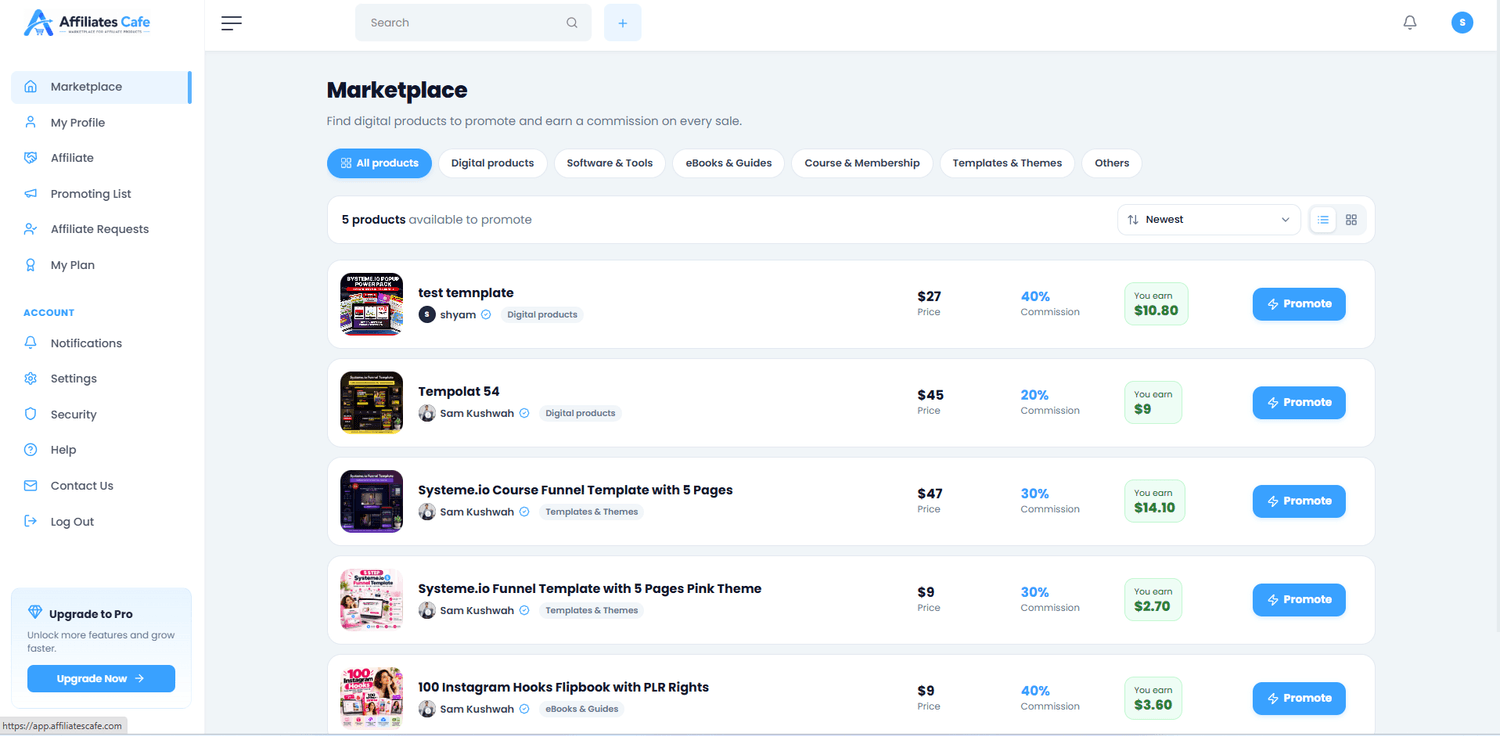
A creator adds a product (a course, template, ebook or funnel) with a price and a commission rate, for example 30%. After a quick review, it shows in the marketplace.
Screenshot: the marketplace with product cards
Affiliates promote them
Affiliates browse the marketplace, pick products they like, and get a personal link. Every sale through that link earns them the commission.
Systeme.io tracks every sale
Sales and commissions are tracked in Systeme.io, using each affiliate's affiliate ID. That's why you add your ID before promoting.
Creators pay their affiliates
The creator pays the commission directly to the affiliate through Systeme.io affiliate invoices. Affiliates Cafe never handles the money.
One account, both sidesYou can list your products and promote other creators' products with the same account.
2 minute read3 steps
Sign up and verify your email
Creating an account takes about two minutes. You only need your name, an email address and a password.
Fill in the sign-up form
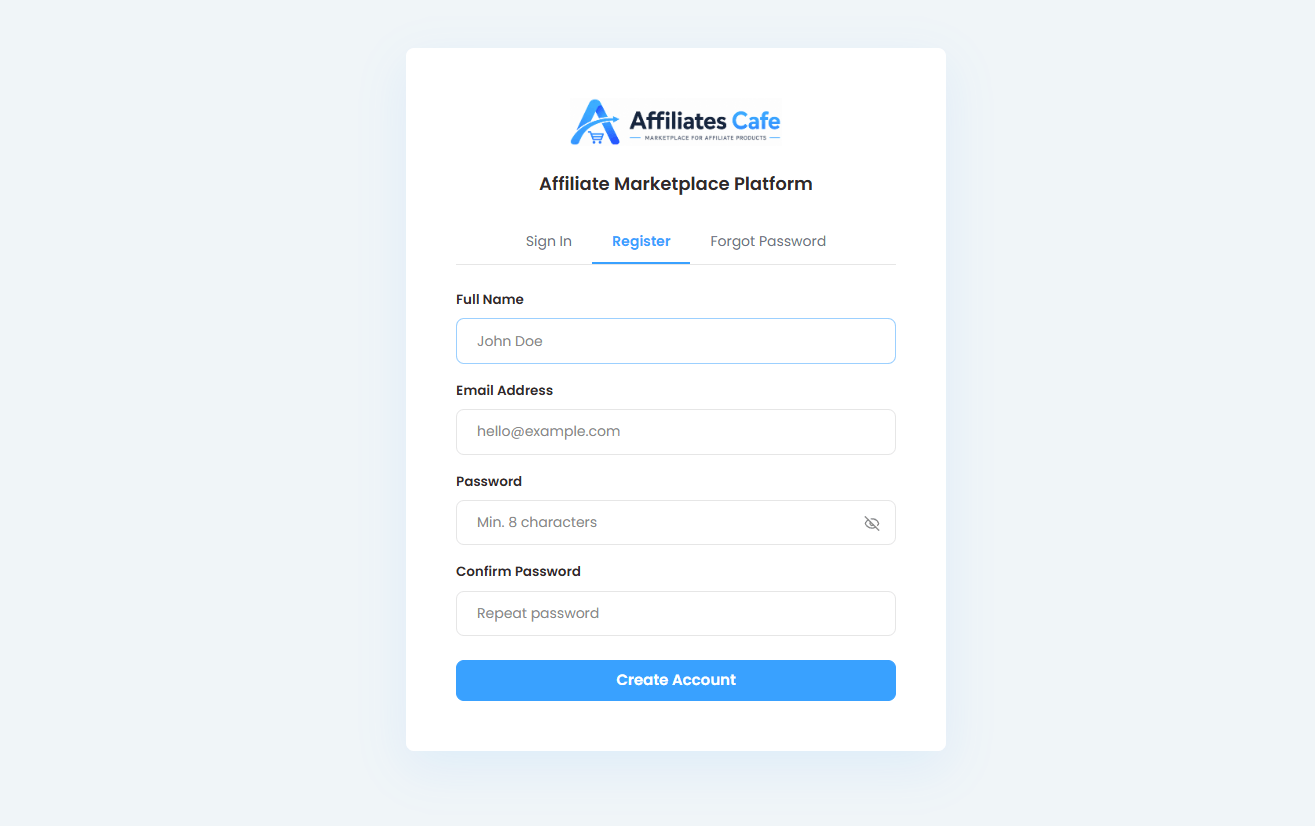
Click Sign up, then enter your name, email address and a password, and confirm the password.
Screenshot: the sign-up form
Enter the 6-digit code
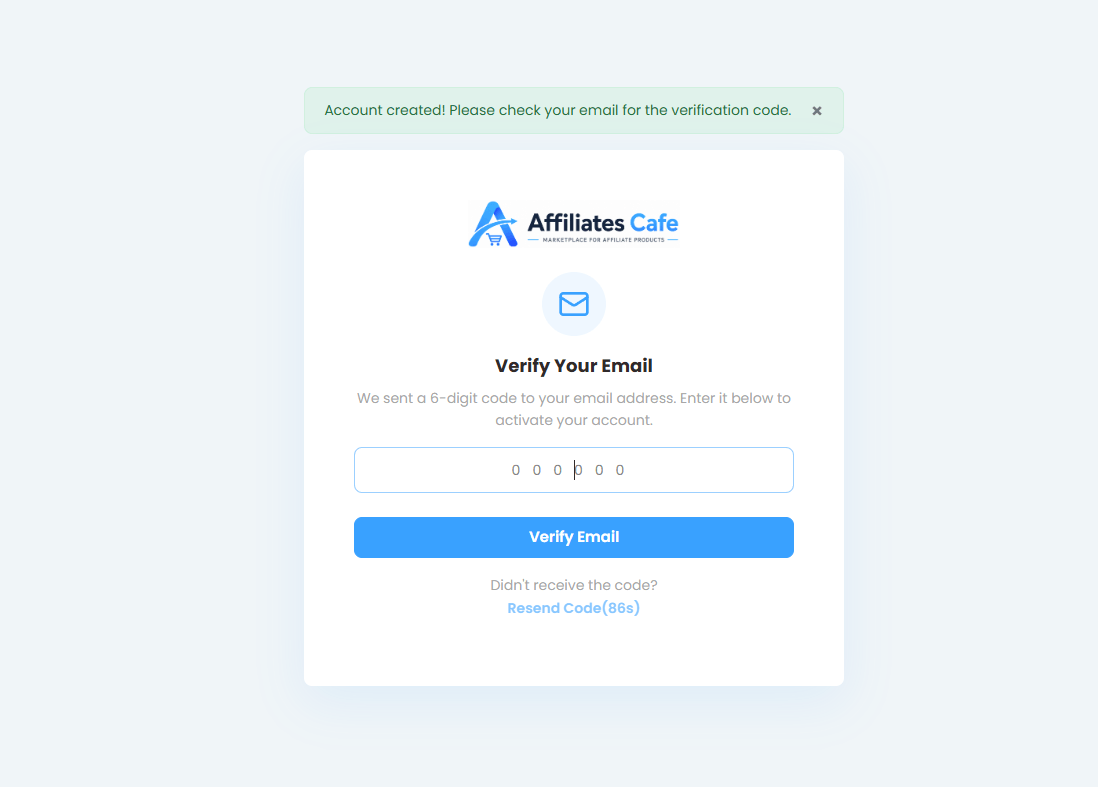
We email you a 6-digit code. Type it on the code page to verify your email. Your account is then active straight away.
Screenshot: the email verification code page
Didn't get the code?
Check your spam or promotions folder first. You can ask for a new code on the code page after a minute.
Closed the page before entering the code? Just log in with your email and password: we'll send a fresh code and take you back to the code page.
Why verify?Verifying keeps fake accounts out of the marketplace, so creators and affiliates know they deal with real people.
What happens nextAfter you enter the code, we take you to Settings → Affiliate systems to add your affiliate ID. The next article, Add your affiliate ID, shows you how.
2 minute read4 steps
Add your affiliate ID
Your affiliate ID tells Systeme.io that a sale came from you. Add it once, and every product you promote carries it automatically.
Find your affiliate ID in Systeme.io
You can also receive an email containing your affiliate ID at the email address you used during signup. If you use a different email address for your Systeme.io affiliate account, you can use that email's affilate ID.
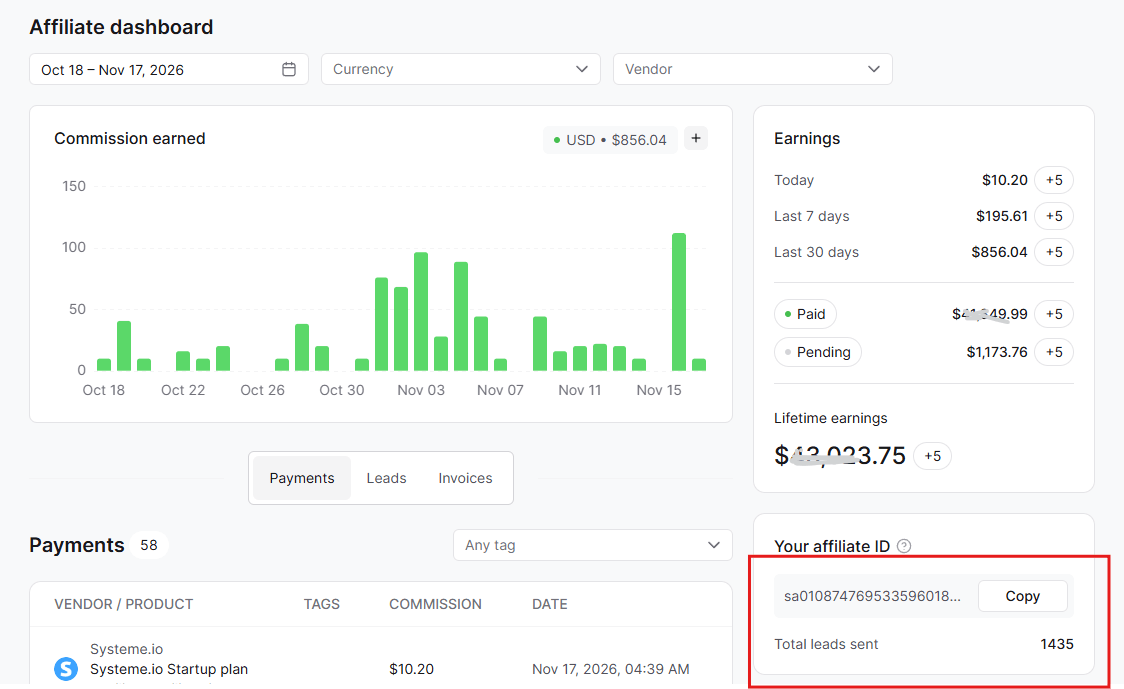
Or Log in to Systeme.io and go to Dashboard → Affiliate Dashboard. Your affiliate ID is on the right side of the page. It starts with "sa" and is about 42 characters long.
Every Systeme.io account gets an affiliate ID automatically and for free. (Student accounts that only take courses can't open the Affiliate Dashboard.)
Screenshot: your affiliate ID on the right of the Systeme.io Affiliate Dashboard
Open Affiliate systems in your settings
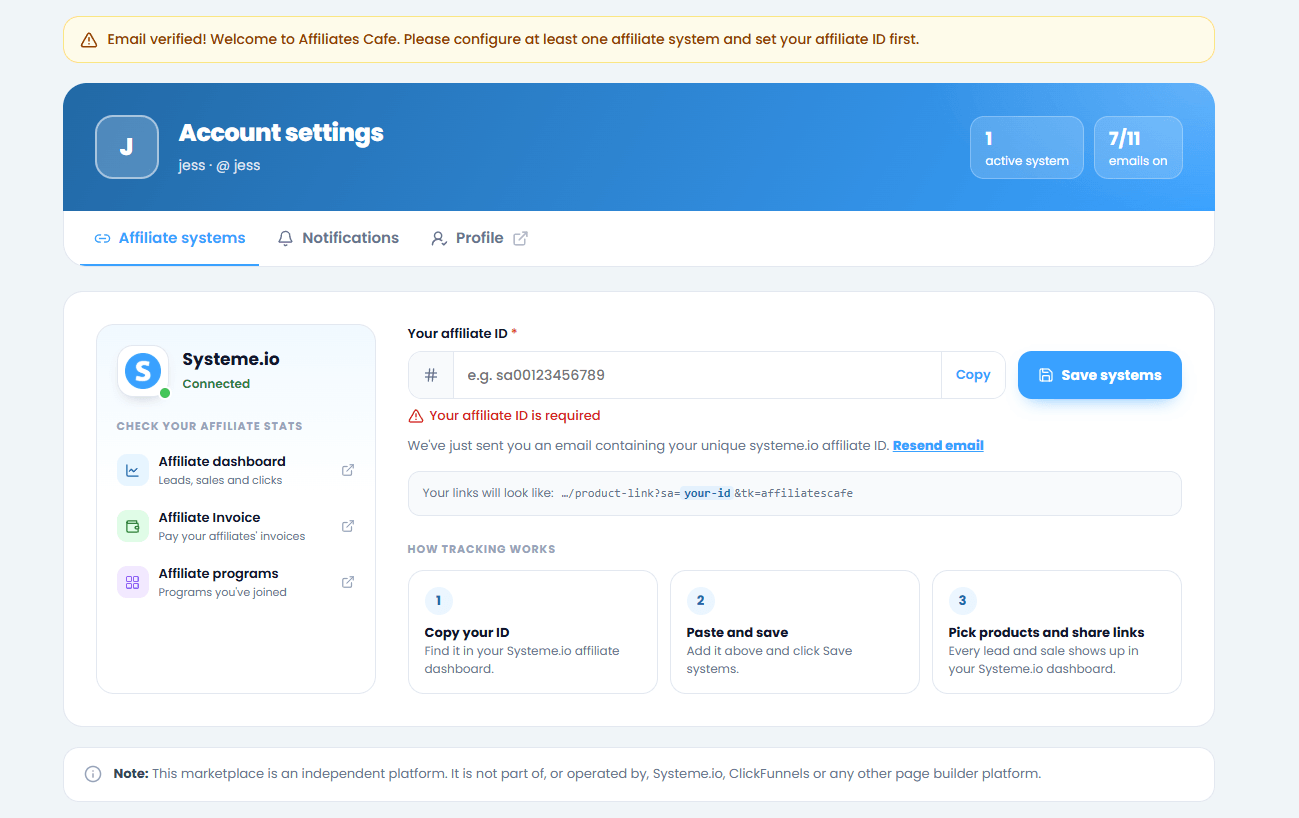
Right after you verify your email, we take you to Settings → Affiliate systems automatically. Any time later, open it from the left menu.
Screenshot: Settings → Affiliate systems
Paste your ID and save
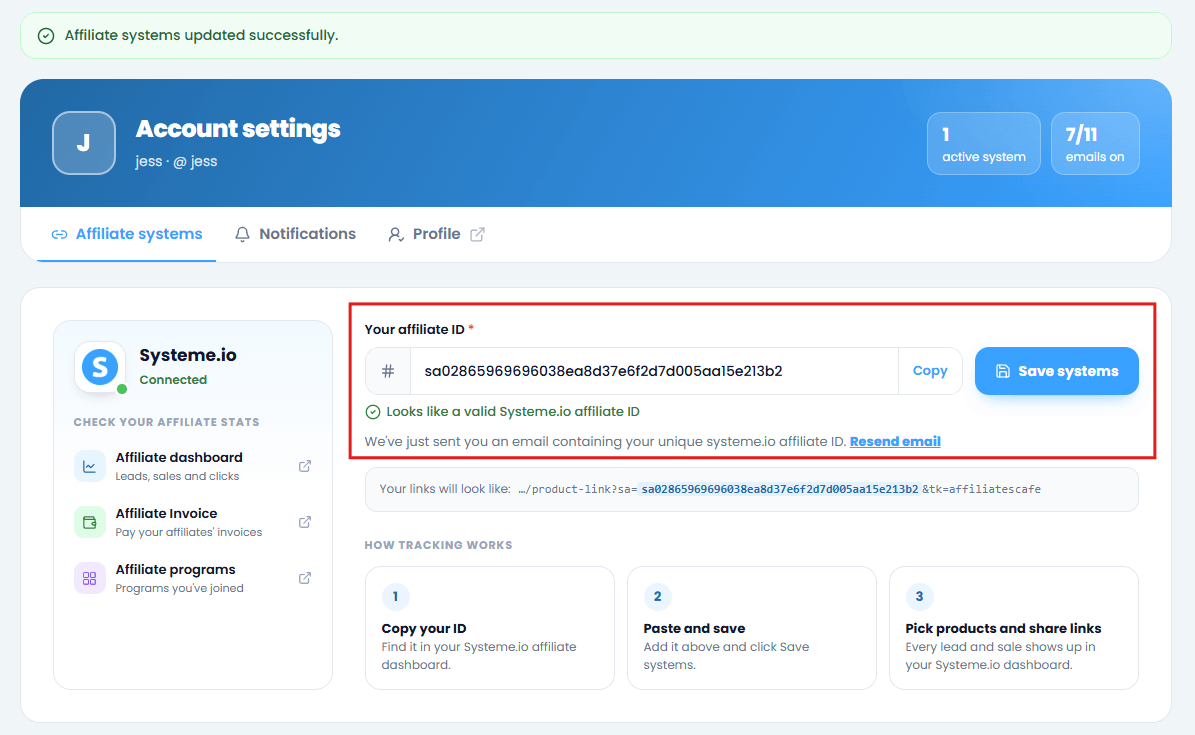
Paste the ID into Your affiliate ID. A green tick and "Looks like a valid Systeme.io affiliate ID" means it's right. Then click Save systems.
Screenshot: the ID field with the green check, next to Save systems
Copy the whole IDIf even one character is missing, your sales won't show up in your Systeme.io dashboard. A yellow warning under the field means something looks off.
Check your link
Under the field you'll see "Your links will look like" with your ID highlighted. That's exactly what every product link you promote will carry.
TipYou only do this once. If you ever change your Systeme.io account, update the ID here and all your links update too.
2 minute read3 steps
Complete your profile
A complete profile builds trust. Affiliates check who's behind a product, and creators check who wants to promote theirs.
Open your profile settings
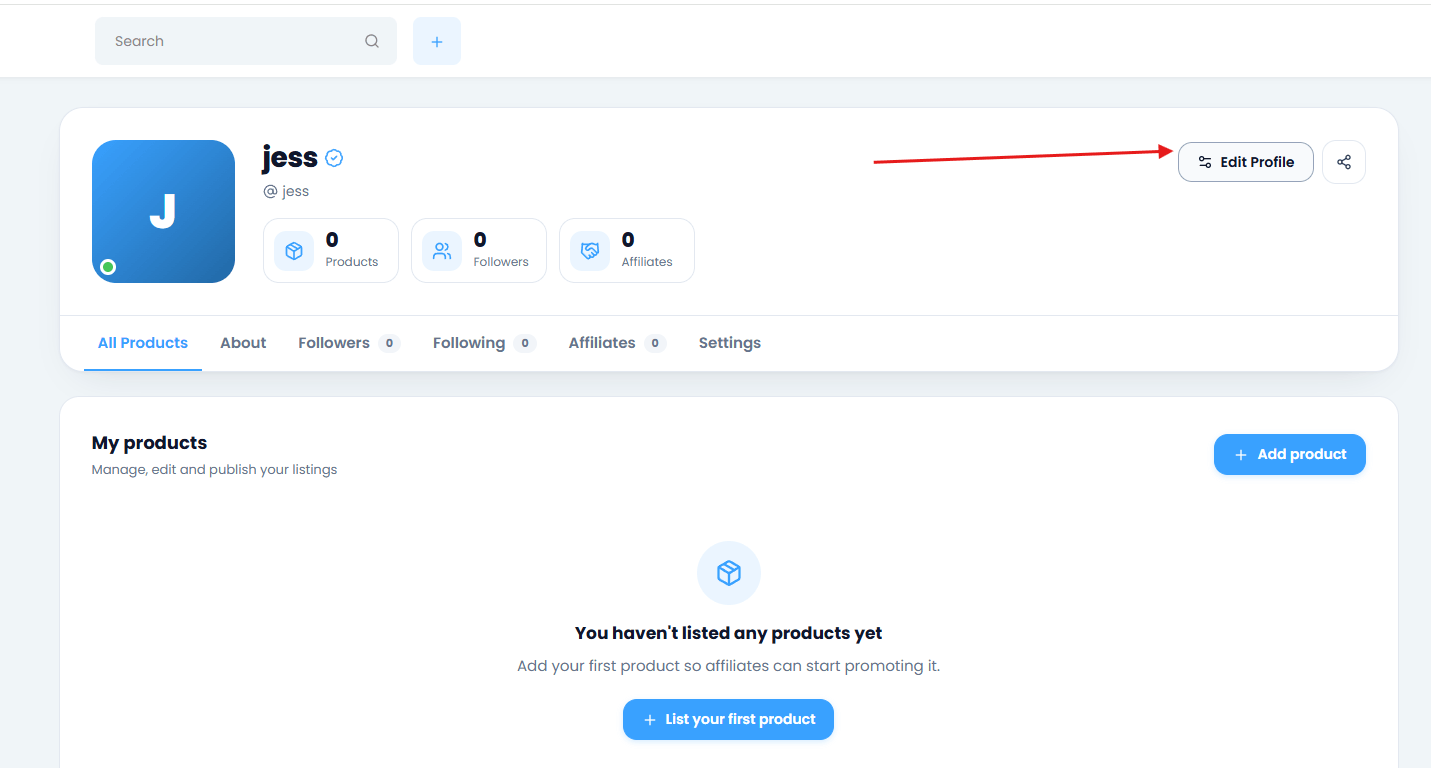
Open your profile and click Edit Profile, or go to Settings in the left menu.
Screenshot: the Edit Profile button on your profile
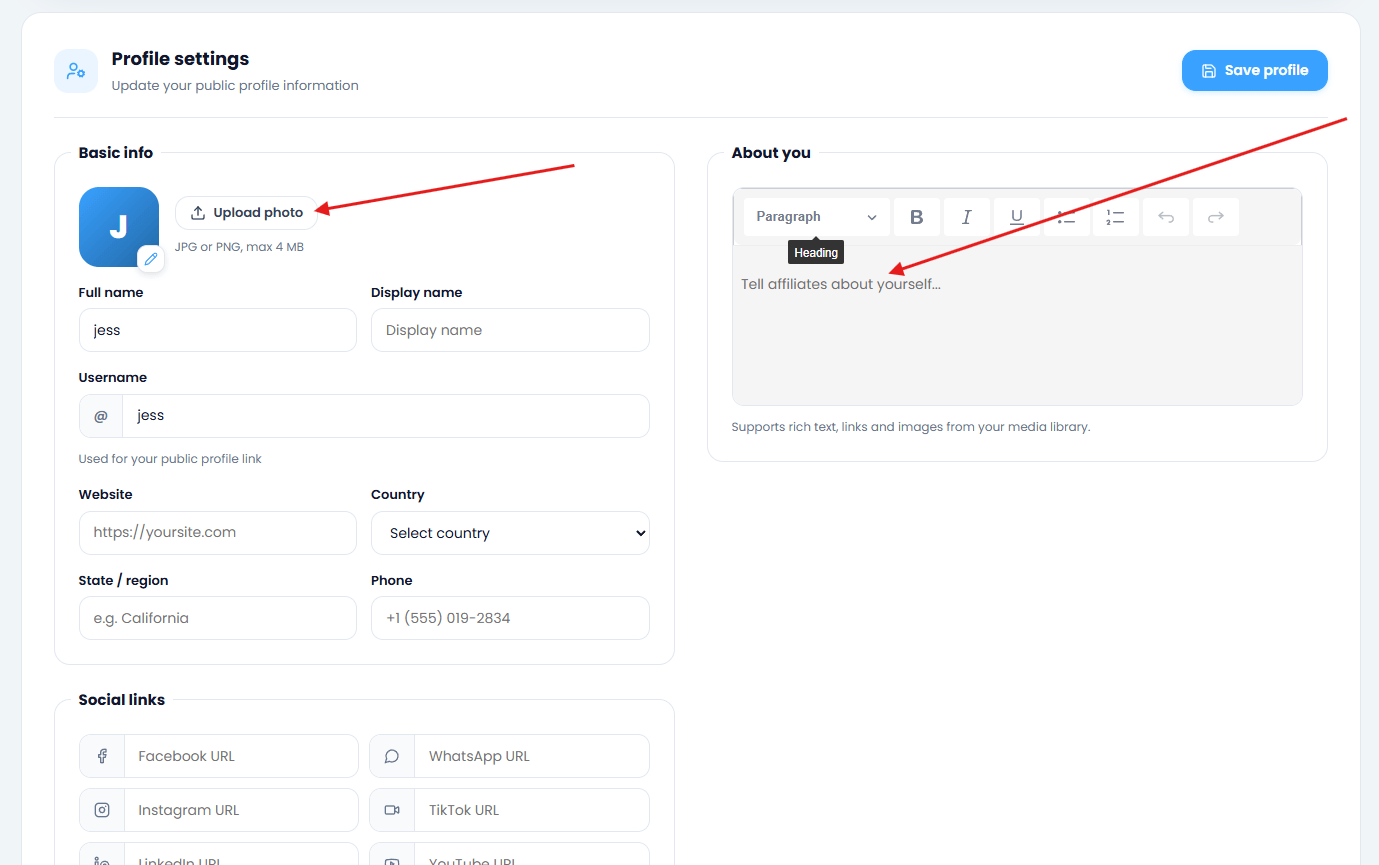
Add a photo and display name
Upload a clear photo or logo and choose the name people will see. Your profile link uses your username, for example affiliatescafe.com/yourname.
Write a short bio and add your links
Tell people what you sell or promote, and add your social links (Facebook, Instagram, YouTube and more). Then save.
Screenshot: the bio and social links fields
TipShare your profile link anywhere: it shows all your products in one place, and your photo appears when you share it on Facebook or WhatsApp.
Still stuck?
Send us a message and we'll reply by email, usually within 24 hours.