Affiliates only earn when your Systeme.io payment page has an affiliate commission set. Without it, Systeme.io records no commission, even when an affiliate sent the buyer.
Do this before you list your productIf the commission is missing in Systeme.io, affiliates promote your product but never earn anything. Listings without a working commission are rejected.
Open your funnel
In Systeme.io, go to Funnels and open the funnel of the product you list on Affiliates Cafe.
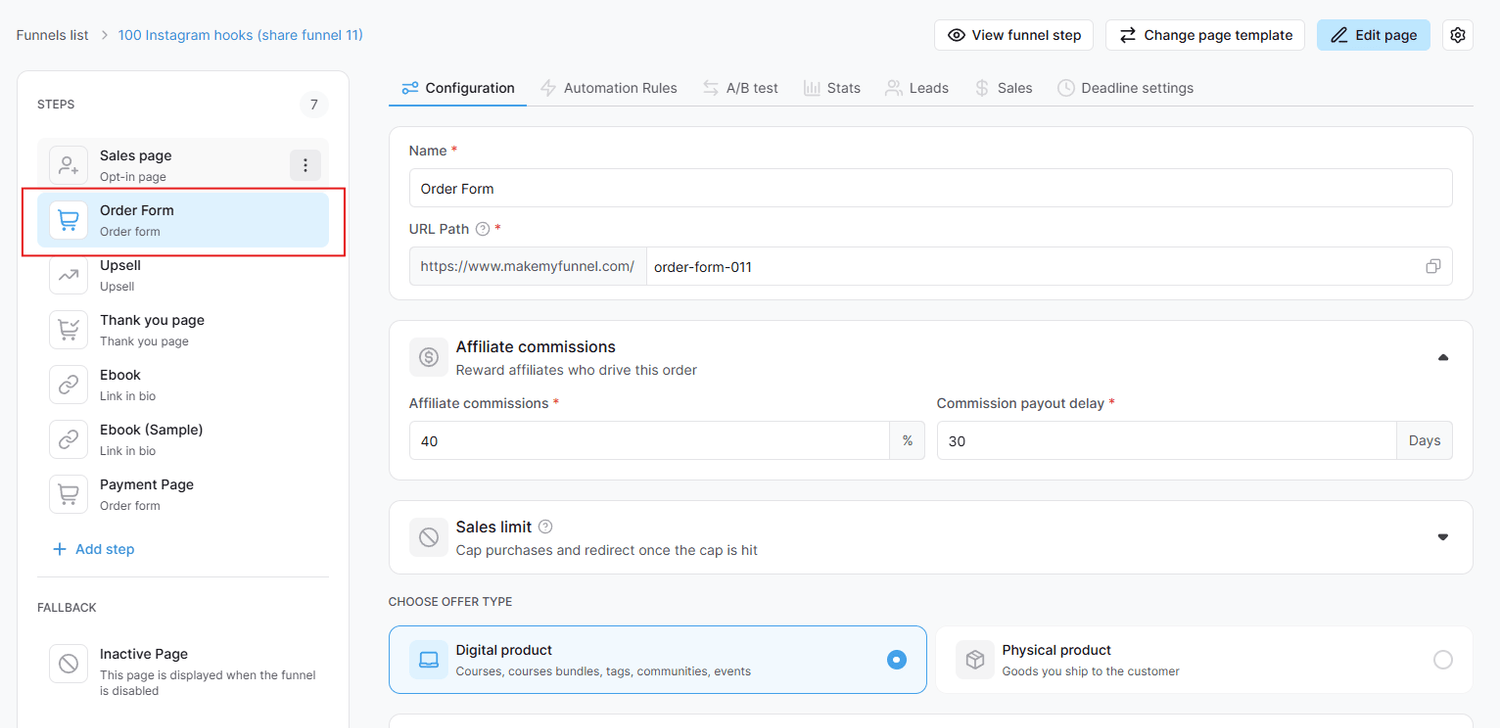
Click your Order Form step
In the Steps list on the left, click the step where buyers pay. It has a cart icon and is usually called Order Form.
Screenshot: the Order Form step selected in the Steps list of your funnel
Enter your commission rate
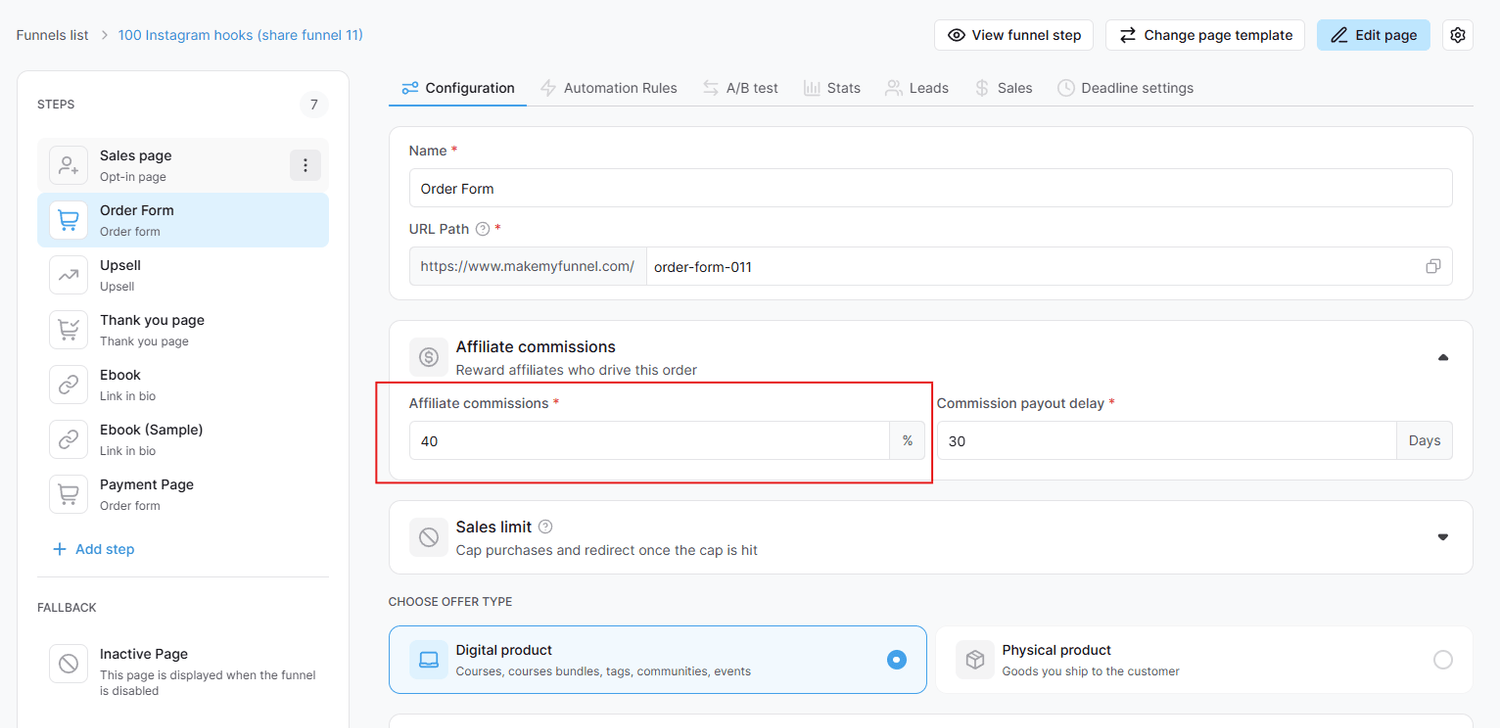
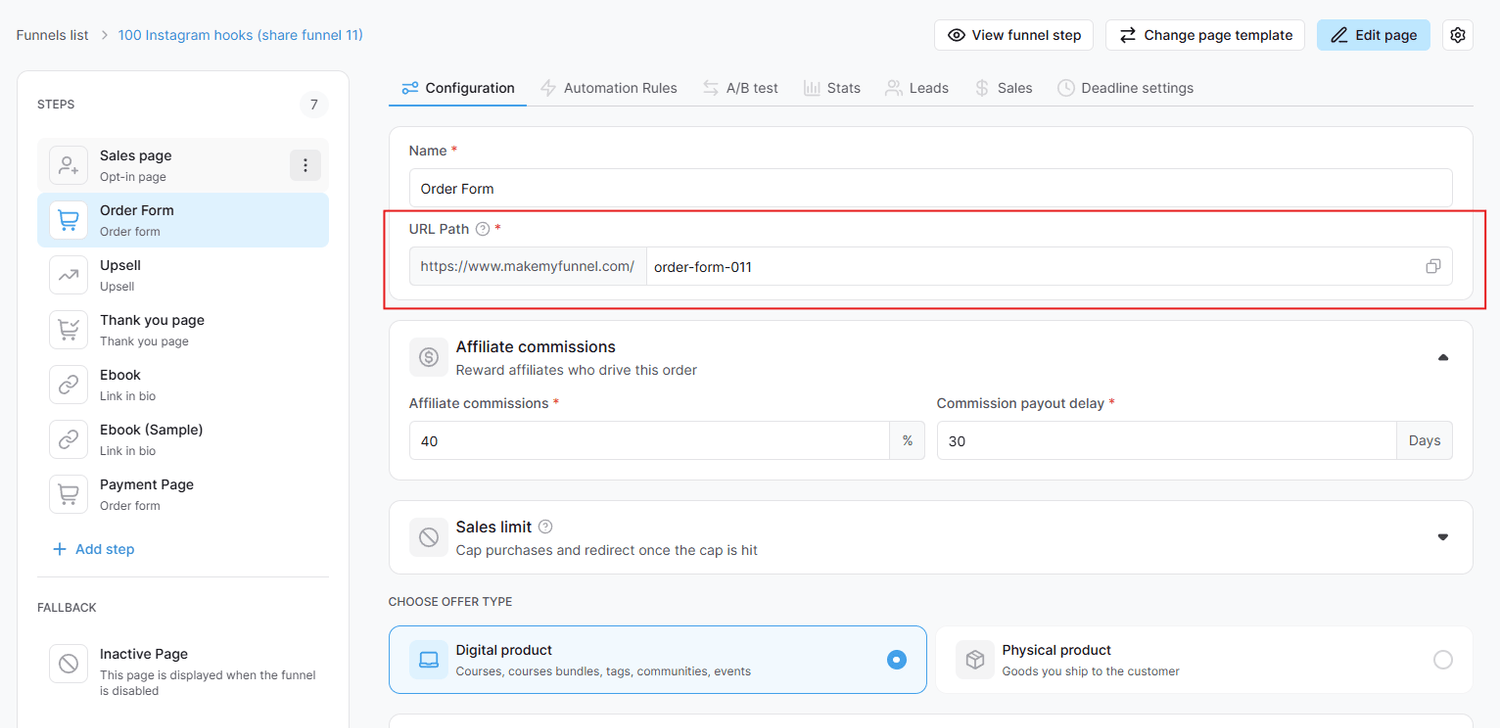
In the Configuration tab, find Affiliate commissions ("Reward affiliates who drive this order"). Type your rate in the Affiliate commissions field, for example 40 %.
Screenshot: the Affiliate commissions section with the rate and the payout delay
Use the same rate as your listingAffiliates choose your product by the commission rate in your Affiliates Cafe listing. Systeme.io pays the rate you set here, so keep both exactly the same.
Set the commission payout delay
In Commission payout delay, enter how many days a commission waits before it can be paid, for example 30 days. Match it to your refund period, so a refunded sale is never paid out.
Save, and repeat for every paid step
Save the step. If your funnel has more steps where buyers pay, such as another order form, an upsell or a downsell, set the commission on each of them too. A paid step without a commission earns affiliates nothing.
Free steps don't need itOpt-in, thank you and other free pages have no commission. Only steps where buyers pay do.
2 minute read5 steps
Check your setup before you list
Five quick checks so every affiliate sale is tracked and paid correctly.
Buyers pay on a Systeme.io page
The order form must be a page in your Systeme.io funnel. Payment pages outside Systeme.io (Stripe or PayPal links, Gumroad, ThriveCart and others) lose the affiliate's ID, so the sale is never recorded.
Every paid step has a commission
Check the order form and every upsell or downsell. Each one needs a rate in Affiliate commissions.
The rate matches your listing
The commission rate in Systeme.io and the rate in your Affiliates Cafe listing must be the same.
Your listing links to the start of this funnel
In your Affiliates Cafe product, the sales page link must be the first page of this Systeme.io funnel. Affiliates Cafe adds each affiliate's ID to that link (?sa=), and Systeme.io carries it through to the order form.
You can also add the opt-in page link that are under the same domain as the payment page.
Screenshot: the sales page link in the Affiliates Cafe product form
Decide how you will pay
Systeme.io creates your affiliates' invoices on the 10th of each month. Pay them automatically with PayPal or by hand. See Pay your affiliates.
Don't test with your own purchaseSysteme.io doesn't allow you to be your own affiliate, so buying through your own link won't show a commission. Ask an affiliate to check that their link opens your funnel with ?sa= in the address.
2 minute read5 steps
See your affiliate program in Systeme.io
Systeme.io shows everything about your affiliates in one place: your affiliate sales, each affiliate, and the commission rate of every offer.
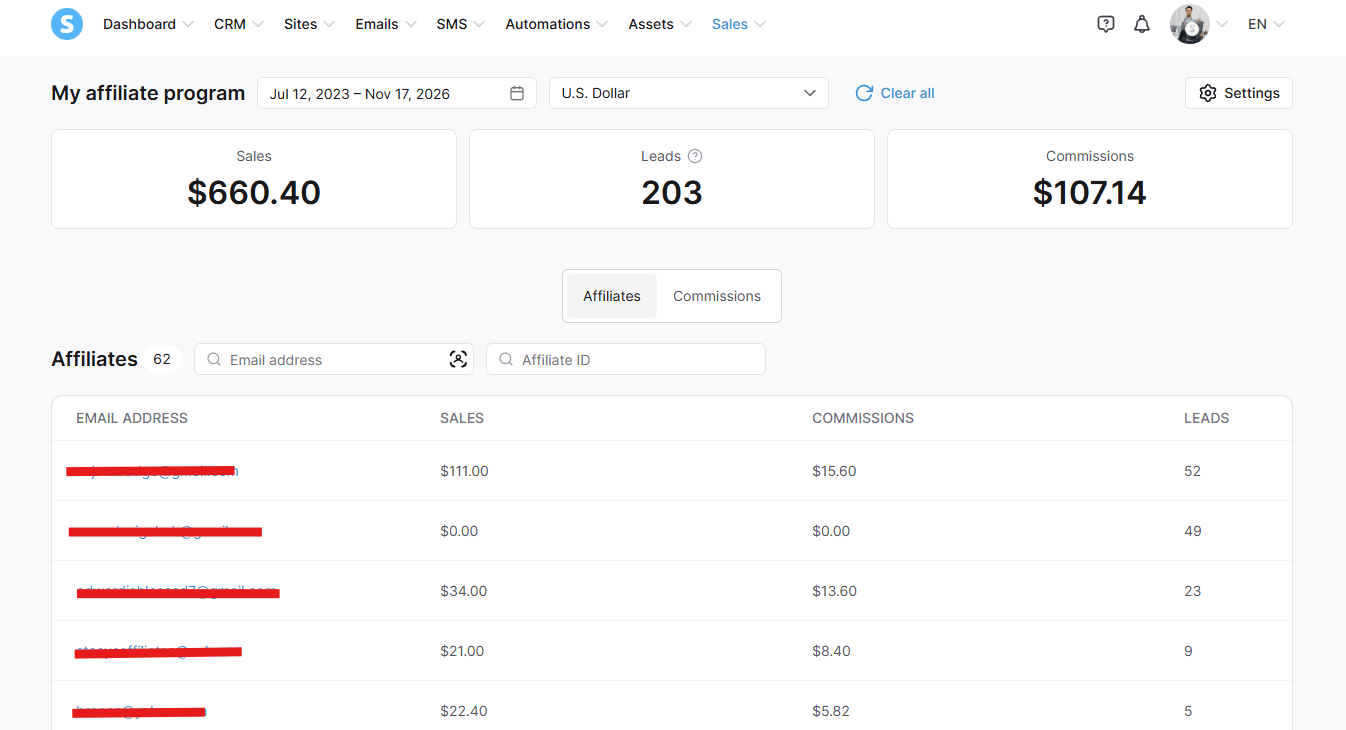
Open My affiliate program
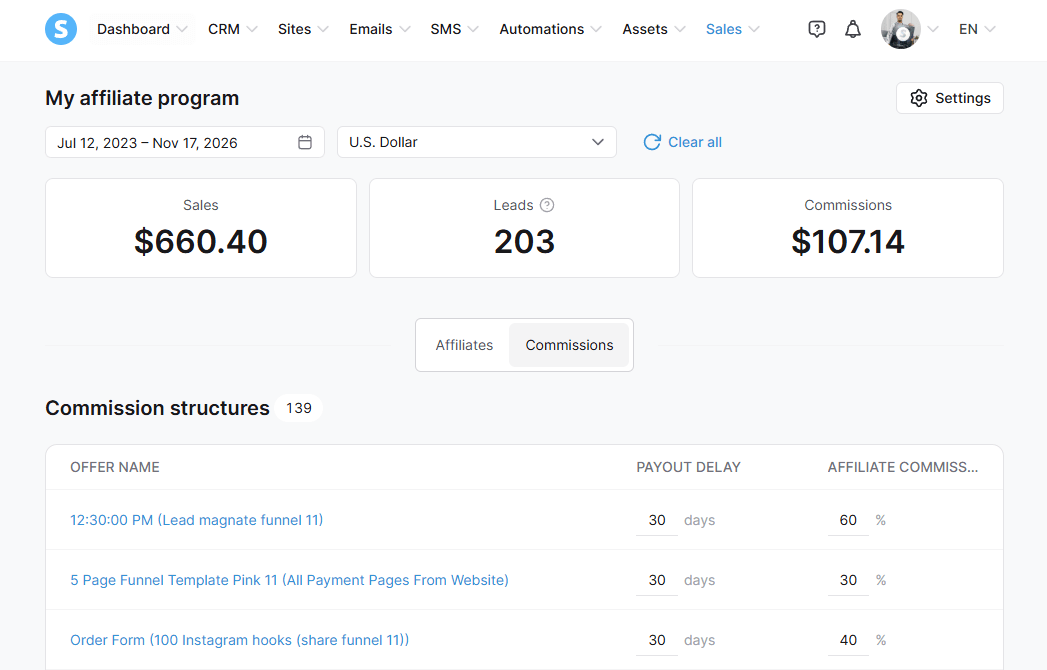
In Systeme.io, go to Sales → My affiliate program. At the top, choose the dates and the currency you want to see.
Screenshot: My affiliate program in Systeme.io
Check your totals
The three boxes show your affiliate Sales, Leads and Commissions for the dates you picked.
See your affiliates
Open the Affiliates tab to see every affiliate who promotes you, with their details and results.
Check every commission rate
Open the Commissions tab. Under Commission structures you see every offer in your account with its Payout delay (days) and Affiliate commission (%).
This is the quickest way to check that the products you list on Affiliates Cafe have the right rate, and that no paid offer is missing a commission.
Screenshot: the Commissions tab with your offers, payout delays and commission rates
Same rate as your listingCompare these rates with your Affiliates Cafe listings. They must be the same.
Program settings
The Settings button (top right) opens your affiliate program settings, where you can also connect PayPal to pay your affiliates. See Pay your affiliates.
Still stuck?
Send us a message and we'll reply by email, usually within 24 hours.